
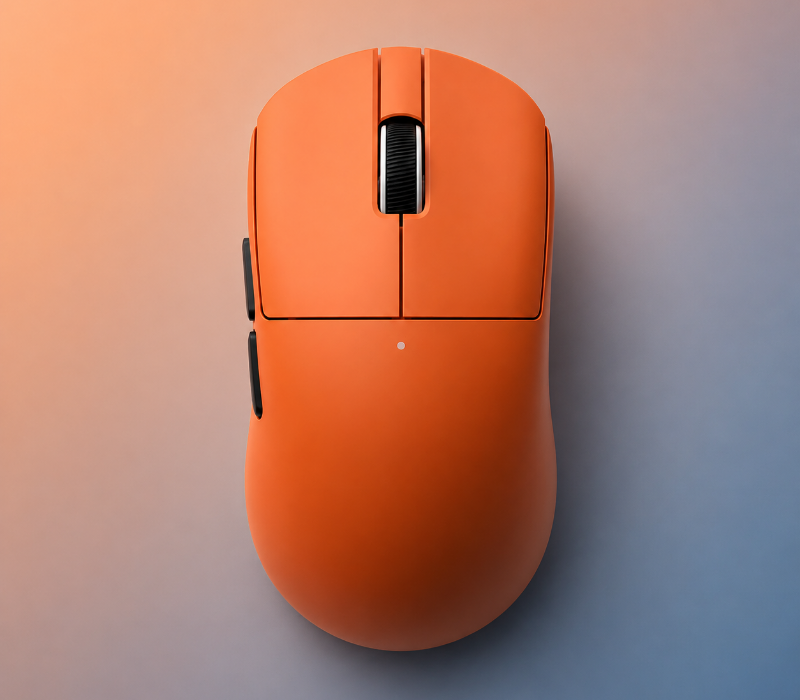
A gaming mouse is one of the most important pieces of equipment in a gaming setup. Whether you play competitive FPS games, fast-paced action games, strategy games, or simply use your mouse for everyday tasks, the right gaming mouse can make your setup more comfortable and responsive.
But choosing a gaming mouse isn't just about finding the highest DPI or the most expensive model.
Factors such as weight, shape, sensor performance, buttons, connectivity, and grip style can all affect how a mouse feels during gaming.
In this guide, we'll explain the key features to consider when choosing a gaming mouse and how to find one that fits your gaming style.
1. Choose a Gaming Mouse Based on Your Grip Style
One of the first things to consider is how you naturally hold your mouse.
Most gamers use one of three common grip styles:
Palm Grip
With a palm grip, most of your hand rests on the mouse.
This grip generally benefits from a larger, more ergonomic gaming mouse that provides good support for your hand.
Claw Grip
With a claw grip, your palm partially touches the mouse while your fingers are arched over the buttons.
A medium-sized mouse with a balanced shape can work well for this grip.
Fingertip Grip
With a fingertip grip, only your fingertips contact the mouse.
Lightweight and compact gaming mice can be particularly comfortable for this style because they allow quick and precise movements.
The important thing is not which grip is considered "best." It's finding a mouse shape that feels natural with your hand.
2. Gaming Mouse Weight Matters
Mouse weight can significantly change the way a gaming mouse feels.
Lightweight Gaming Mice
Lightweight mice are popular among gamers who make frequent or fast movements.
They can be useful for:
- FPS gaming
- Low-sensitivity players
- Large mouse movements
- Fast aiming adjustments
- Competitive gaming
A lighter mouse can also feel less tiring during long gaming sessions.
Heavier Gaming Mice
Some players prefer a heavier mouse because it can feel more stable and controlled.
Heavier designs may appeal to gamers who prefer:
- More resistance during movement
- A solid, substantial feel
- Higher sensitivity settings
- General-purpose gaming and desktop use
There isn't one perfect mouse weight for everyone. Your preferred sensitivity and playing style should influence your choice.
3. DPI Is Important—but Higher Isn't Always Better
DPI, or dots per inch, describes how far the cursor moves on your screen when you physically move the mouse.
Gaming mice often advertise very high DPI specifications, but maximum DPI isn't necessarily an indication of better gaming performance.
Most gamers adjust DPI according to their preferred sensitivity and game settings.
For competitive gaming, many players prefer lower sensitivity because it allows them to make controlled movements. Other players prefer higher sensitivity for faster cursor movement.
Instead of choosing a mouse based only on its maximum DPI, consider whether its sensor provides the range and consistency you actually need.
4. Look for a Reliable Sensor
The sensor is one of the most important components of a gaming mouse.
A good gaming mouse sensor should provide consistent tracking and accurately translate your physical movements into cursor movement.
When comparing gaming mice, consider:
- Sensor accuracy
- Tracking consistency
- DPI range
- Maximum tracking speed
- Acceleration specifications
- Lift-off distance
For most gamers, consistent tracking is more important than having an extremely high maximum DPI.
5. Wired vs. Wireless Gaming Mouse
Another major decision is whether to choose a wired or wireless gaming mouse.
Wired Gaming Mouse
Wired gaming mice connect directly to your computer.
Advantages can include:
- No battery charging
- Continuous power
- Simple setup
- Often lower cost
Modern wired gaming mice can provide excellent responsiveness and are still widely used by competitive gamers.
Wireless Gaming Mouse
Wireless gaming mice provide greater freedom of movement and help create a cleaner gaming desk.
Modern wireless gaming mice can offer responsive performance while eliminating cable drag.
When choosing a wireless model, consider:
- Battery life
- Charging time
- Wireless connection stability
- Charging method
- Whether the mouse can be used while charging
For many gamers, wireless connectivity is particularly attractive for a clean and flexible setup.
6. Consider the Mouse Buttons
The number and placement of buttons can make a big difference depending on the games you play.
A basic gaming mouse may have:
- Left click
- Right click
- Scroll wheel
- Two side buttons
Additional programmable buttons can be useful for MMO, MOBA, strategy, and productivity applications.
For FPS gaming, however, having too many buttons isn't necessarily helpful. A simpler design can provide easier access to the controls you actually use.
Choose the button layout based on your games rather than simply choosing the mouse with the most buttons.
7. Shape and Ergonomics
The shape of a gaming mouse affects both comfort and control.
Consider whether you prefer:
- Symmetrical or ergonomic designs
- Larger or smaller mice
- Higher or lower profiles
- Right-handed or ambidextrous designs
Your hand size also matters.
A mouse that feels comfortable for someone with large hands may feel difficult to control for someone with smaller hands.
If possible, compare the mouse dimensions with a mouse you already use and like.
8. Mouse Feet and Movement
Mouse feet, sometimes called mouse skates, are the parts of the mouse that contact the mouse pad.
They affect how smoothly the mouse moves.
Smooth movement can be especially important for gamers who use low sensitivity and make large mouse movements.
The combination of mouse feet and mouse pad also matters. A fast mouse pad can produce a different feel from a control-oriented mouse pad.
9. RGB Lighting and Design
Performance isn't the only reason people choose a gaming mouse.
For many gamers, the appearance of their setup matters too.
Gaming mice can feature:
- RGB lighting
- Minimalist designs
- Lightweight shells
- Transparent elements
- Gaming-inspired shapes
- Modern, low-profile designs
RGB lighting doesn't directly improve gaming performance, but it can help create a consistent visual style across your gaming setup.
10. Choose a Mouse Based on the Games You Play
Different games can benefit from different mouse characteristics.
FPS Games
For competitive shooters, look for:
- Lightweight construction
- Accurate sensor tracking
- Smooth movement
- Comfortable grip
- Responsive buttons
MMO and Strategy Games
Additional programmable buttons can be particularly useful for games that require access to many commands.
MOBA Games
A comfortable shape, accurate sensor, and accessible side buttons can help with fast interactions.
General Gaming
If you play a variety of games, a balanced mouse with a comfortable shape and reliable sensor can be a practical choice.
11. Don't Choose a Gaming Mouse Based Only on Specifications
Gaming mouse specifications can look impressive, but numbers don't always tell the whole story.
For example, a mouse with an extremely high DPI setting may not provide a noticeable advantage if you normally play at a much lower sensitivity.
Instead, consider the complete package:
- Shape
- Weight
- Sensor
- Buttons
- Connectivity
- Battery life
- Build quality
- Comfort
- Price
The best gaming mouse for you is the one that fits your hand and playing style.
Gaming Mouse Buying Checklist
Before purchasing a gaming mouse, ask yourself:
What grip do I use?
Palm, claw, or fingertip?
How much does the mouse weigh?
Do you prefer lightweight or heavier designs?
Do I want wired or wireless?
Consider cable management, battery life, and convenience.
What games do I play?
FPS, MMO, MOBA, strategy, or a mixture?
How many buttons do I actually need?
More buttons aren't always better.
Is the shape comfortable for my hand?
Dimensions and ergonomics matter.
Does the sensor provide consistent tracking?
Focus on real-world performance rather than maximum DPI alone.
Final Thoughts
Choosing the right gaming mouse is about finding the right balance between performance, comfort, and personal preference.
Instead of focusing on one specification, consider how the entire mouse fits your gaming setup.
A comfortable shape, suitable weight, reliable sensor, responsive controls, and the right connectivity can make a gaming mouse feel significantly better during everyday use.
Whether you're building your first gaming setup or upgrading an existing one, taking the time to choose the right mouse can make your gaming experience more comfortable and enjoyable.
Explore the GameGearPrime Gaming Mouse collection to discover gaming mice designed for different gaming styles, hand preferences, and setups.
Frequently Asked Questions
What is the best DPI for a gaming mouse?
There is no single DPI setting that is best for everyone. Your preferred DPI depends on your game, sensitivity settings, screen resolution, and personal preference.
Is a lightweight gaming mouse better?
A lightweight mouse can make fast movements easier and may be particularly appealing for FPS players. However, some gamers prefer the stability and feel of a heavier mouse.
Are wireless gaming mice good for gaming?
Modern wireless gaming mice can provide responsive performance and the convenience of a cable-free setup. Battery life and wireless connection quality are important factors to consider.
What gaming mouse is best for FPS games?
FPS players often prefer lightweight mice with accurate sensors, responsive buttons, and shapes that allow precise and comfortable movements.
How do I choose a gaming mouse for my hand size?
Compare the mouse dimensions with your hand size and consider your grip style. A mouse that is too large or too small can become uncomfortable during long gaming sessions.
Do I need a high-DPI gaming mouse?
Not necessarily. A high maximum DPI can be useful as a specification, but most gamers do not need to use extremely high DPI settings. Sensor consistency and comfortable control are usually more important.
What is the difference between a gaming mouse and a regular mouse?
Gaming mice are generally designed with features focused on responsiveness, sensor performance, buttons, ergonomics, and gaming-oriented customization. Regular mice are typically designed primarily for general computer use.